You type one line, "make me a door schedule", and Revit does the work
You type one line, "make me a door schedule", and Revit does the work. I made a 12-minute explainer on AI operating Revit for you: https://www.youtube.com/watch?v=24AmCKhp1KA

This is not science fiction. Revit 2027 shipped in April with an official Revit MCP Server, as a technical preview. It has three tool sets: Read only reads, Write and Experimental can change the model, and it currently supports Revit 2027.2 only (Autodesk Help). At Autodesk University in September, AEC Magazine reported Autodesk's plan for an agent-first, standalone Autodesk Assistant in 2027.
Couldn't Dynamo always do this? Dynamo has been around since at least 2013, alongside pyRevit and macros. What changed is not whether it can be done, but who writes the steps. You used to write a script to teach Revit; now you state the goal, and the AI agent works out the steps and operates Revit itself.
A script is a fixed set of directions. Turn left at the door, right at the third lights. Close a road and the note cannot adapt. A script that looks for views named "Level" finds nothing in the next project, where views are called "1/F". It reports no error and does nothing, and you think it worked. An AI agent is more like a taxi driver: you give the destination, it chooses the route, rethinks when blocked, and asks when unsure.
Two routes. Computer use reads the screen and clicks: it works with any software, but it is slow, error-prone and cannot see the data behind the screen. MCP calls Revit's functions directly: fast, precise and able to read back what it changed, but limited to the tools it has. In September 2026 the official Experimental set had 40 tools and none could create a wall. I use the second route myself: a chalet I designed about ten years ago went from three undimensioned plans to 12 design sheets in 6 hours, and I did not draw a single line.
A script that looks for views named "Level" finds nothing in the next project, where views are called "1/F".
Who is responsible? In Hong Kong, building works need an appointed Authorized Person, and a Registered Structural Engineer where necessary (Buildings Department). An AI can draw, but it cannot sign. My chalet sheets all say "Not for construction", and "Checked by" is left blank on purpose. AI also makes confident errors: on Autodesk's sample model, Revit rejected an edit to a door inside a model group, yet the tool reported every change as done. Autodesk itself advises reviewing changes and backing up before write operations. And DEVB Technical Circular (Works) No. 3/2026 asks large public works to adopt AI with data security and privacy compliance. Producing drawings, signing and submitting stay with people.
In a few years (imagined, not a forecast). At 9 am the agent has checked the structural model overnight and lists three column clashes, five mismatched doors and two decisions for you. The client wants the lobby a metre wider; the agent updates everything and lists what changed for a person to review. The AP reviews each sheet and signs; the submit button stays out of the agent's reach.
I am not an Authorized Person. In the video, "AP" is a role: the person who decides and signs. This is an explainer, not legal or professional advice. Renders are AI generated; sources are in the YouTube description.
If your office could ask an AI to do one thing in Revit tomorrow, what would you pick? Tell me what you think in the comments.
More in AI × architecture
All → Office AI tip: architects and an AI agent working in one Telegram group, one example from…
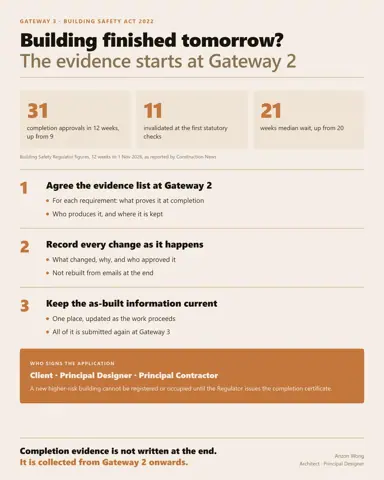 If your building finished tomorrow, could you hand the Building Safety Regulator the…
 You type one line, "make me a door schedule", and Revit does the work
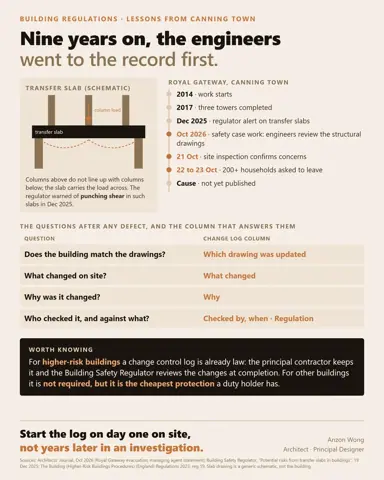 If you had to sign today that a building complies, which document would you reach for…