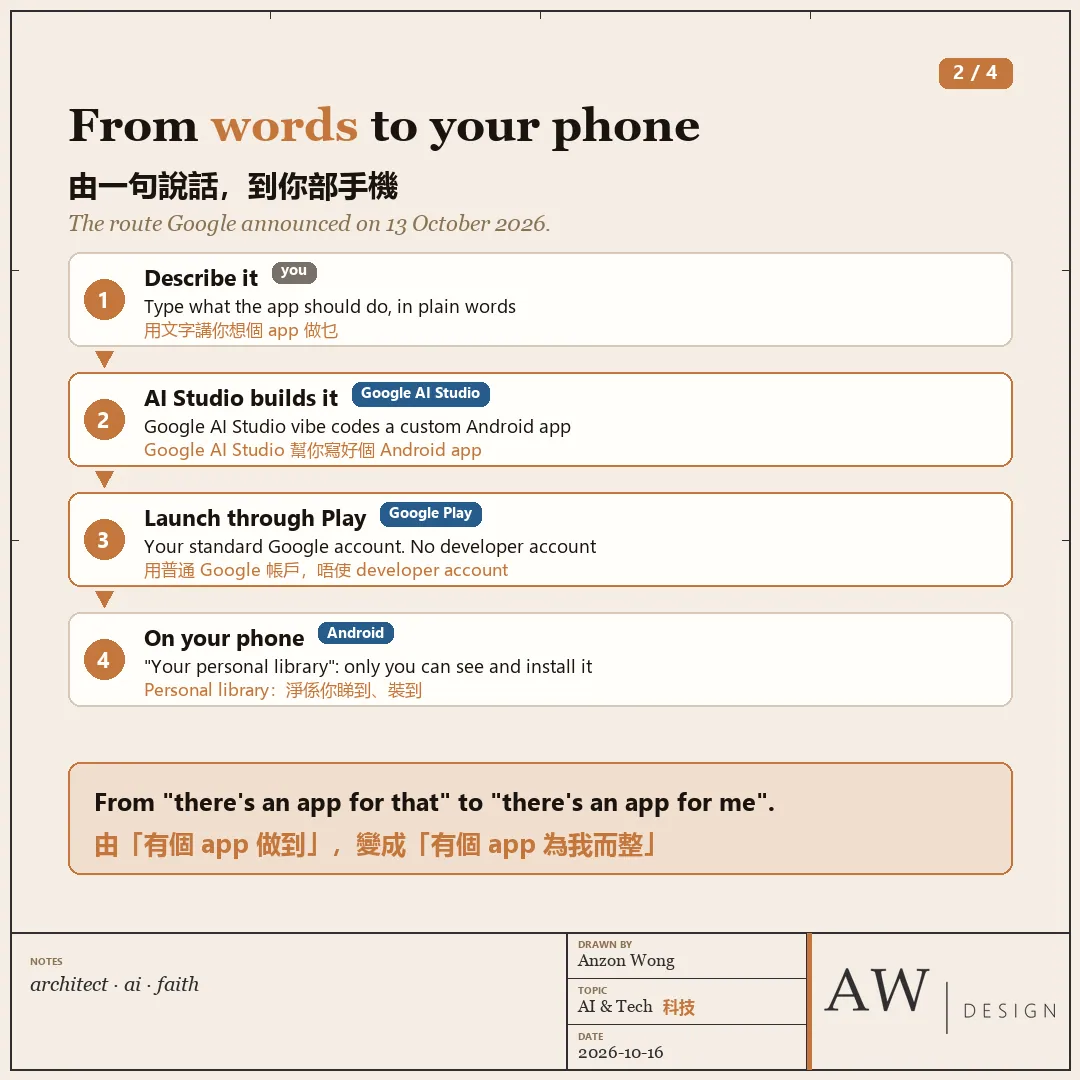
From "there's an app for that" to "there's an app for me". That line is Google's own
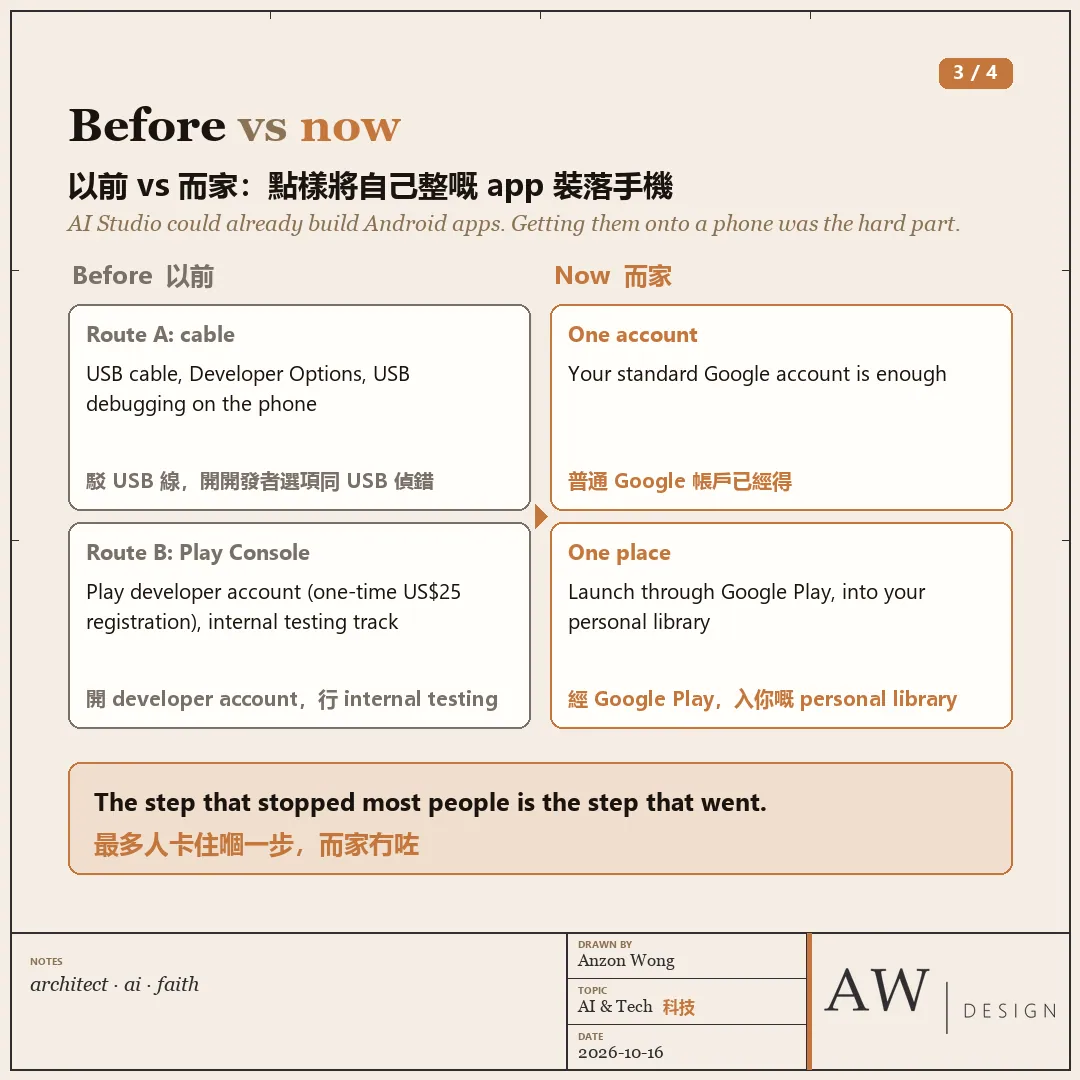
On 13 October, Google Play announced that you can vibe code an Android app in Google AI Studio, then launch it on your own phone through Google Play. A standard Google account is enough. No developer account.
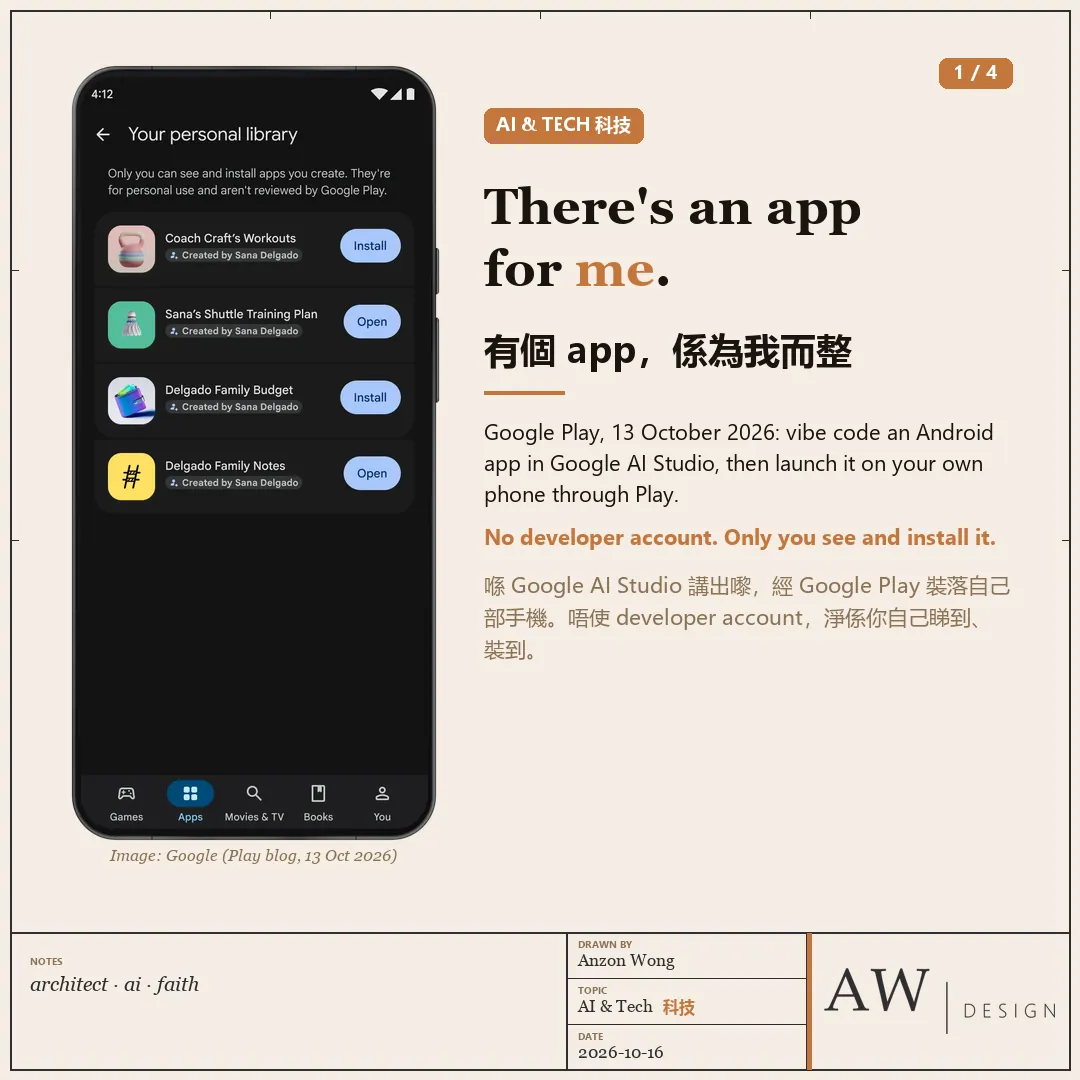
Until now there were two ways to get an app you made onto your phone. Plug in a USB cable and switch on Developer Options and USB debugging. Or open a Play developer account (a one-time US$25 registration) and go through internal testing. Now Play gets a "Your personal library": only you can see it and install from it.
I build little tools for my family and my work all the time. One is a family dashboard that counts down to the next bus. Nobody would ever publish something like that, but it is genuinely useful at home. Until now you needed to know a bit of code to make one. Soon a few sentences might do.
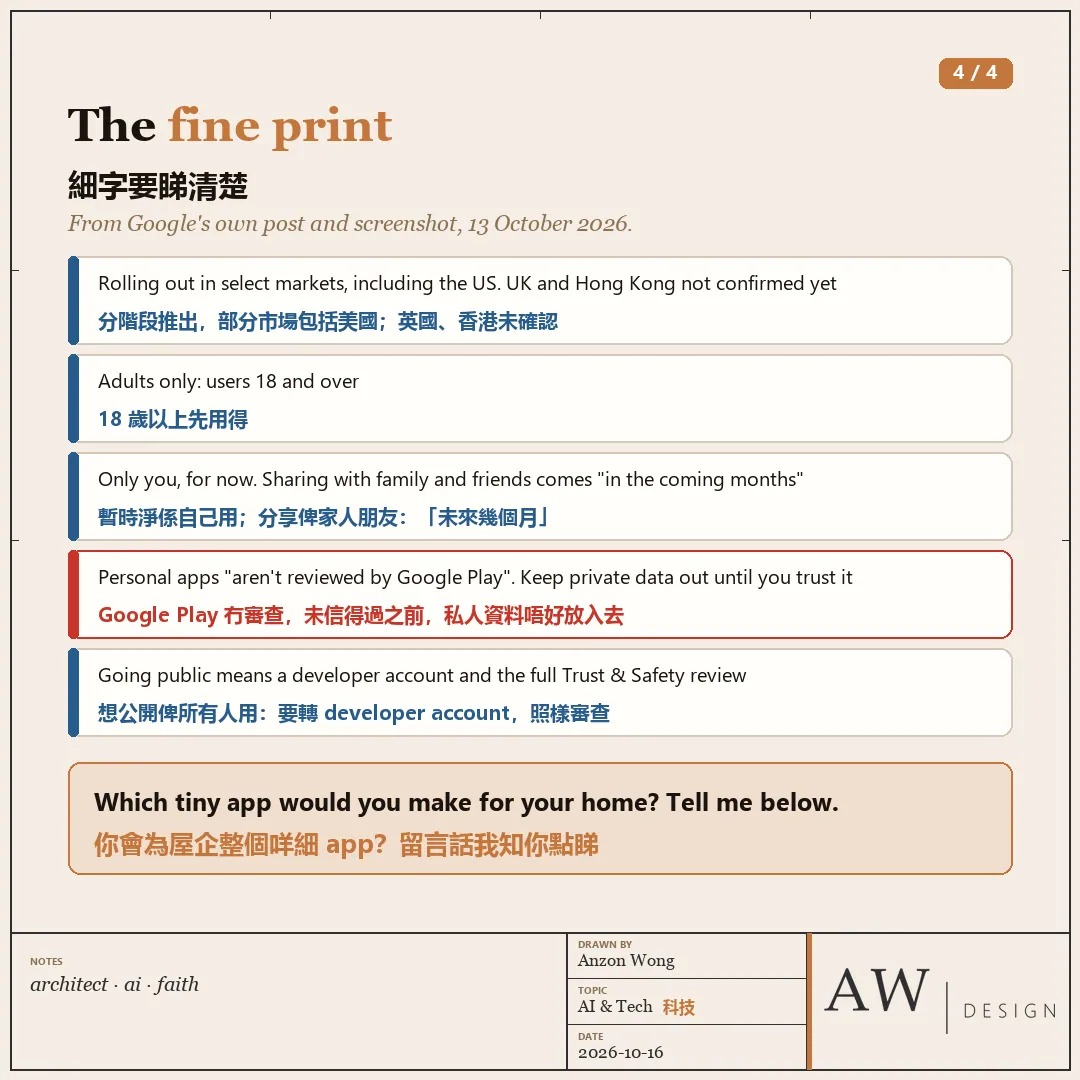
A few things in the small print:
・It is rolling out in stages, in "select markets, including the U.S.", for users 18 and over. Google has not said whether the UK or Hong Kong are included yet.
・For now it is only for you. Sharing with family and friends is coming "in the coming months", Google says.
・Google's own screenshot says these personal apps "aren't reviewed by Google Play". You probably have not read the code the AI wrote, so my first one would hold no private data at all: a timetable, a list, a counter.
Google has not said whether the UK or Hong Kong are included yet. ・For now it is only for you.
I have not tried this route yet. When it reaches the UK, I will build something small and report back.
Google: https://blog.google/products-and-platforms/platforms/google-play/google-play-updates-october-2026/
If you could make one tiny app just for your household, what would it be? Tell me what you think in the comments 👇